Advanced
Hooks for extending Living Art Studio. Use the bundled AI Mask Generation tool to produce channel masks from cloud APIs, or plug in your own backend.
Extending the AI Mask Generation
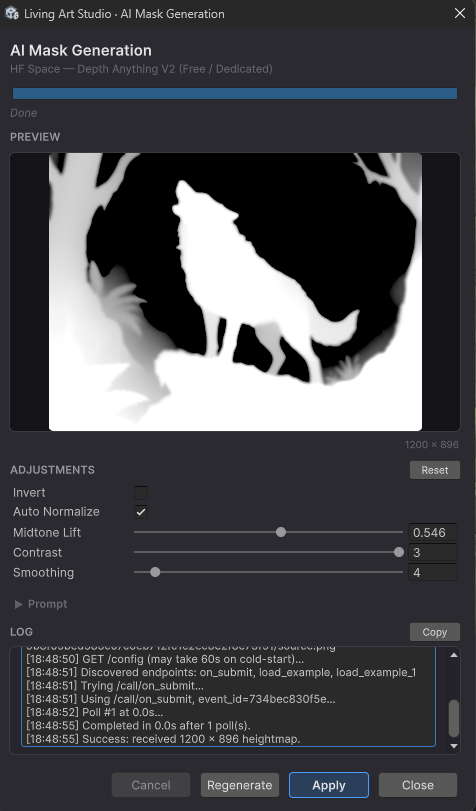
Living Art Studio includes an AI Generation tool that produces channel masks from the base artwork through cloud APIs (depth maps, segmentation, and similar outputs). The provider layer exposes a small interface that allows additional backends to be integrated without modifying the rest of the tool.
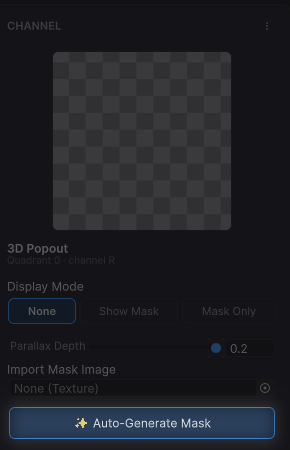
Using the AI Generation tool
Open the AI Generation window from the Studio toolbar, or set API keys through Tools → Living Art Studio → Settings. Enter the API key for the provider you want to use, choose a provider and target channel, then click Generate. The result is written into the active material's mask.
Three providers are included out of the box: Google Gemini, OpenAI, and Hugging Face Spaces. Each requires its own API key.
Adding a custom provider
To plug a different backend into the AI Generation window, implement the ILivingArtMaskProvider interface in any editor assembly that references Kobapps.LivingArt.Editor. The new provider then appears in the window's dropdown, and a row for its API key is added to the Settings window automatically.
A minimal implementation:
using System;
using System.Threading;
using System.Threading.Tasks;
using UnityEngine;
using UnityEngine.Networking;

namespace Kobapps.LivingArt.EditorTools.AI
{
    internal sealed class MyProvider : ILivingArtMaskProvider
    {
        public string Id          => "my-provider";
        public string DisplayName => "My Provider (Depth)";
        public bool   NeedsApiKey => true;
        public string ApiKeyHint  => "sk-…";
        public string ApiKeyUrl   => "https://my-provider.com/account/api-keys";

        public async Task<Texture2D> GenerateAsync(
            Texture2D source,
            MaskGenerationOptions options,
            IProgress<ProviderProgress> progress,
            CancellationToken ct)
        {
            string apiKey = LivingArtAISettings.GetApiKey(Id);
            if (string.IsNullOrEmpty(apiKey))
                throw new InvalidOperationException("API key not set");

            progress?.Report(new ProviderProgress("Encoding image", 0.05f));
            byte[] png = MaskImageUtils.EncodePng(source);

            progress?.Report(new ProviderProgress("Calling depth API", 0.2f));
            // … send PNG via UnityWebRequest, await response, poll if needed …

            progress?.Report(new ProviderProgress("Decoding result", 0.9f));
            byte[] resultPng = /* response bytes */ null;

            var tex = new Texture2D(2, 2, TextureFormat.RGBA32, false, true);
            if (!tex.LoadImage(resultPng))
                throw new Exception("Failed to decode response image");
            return tex;
        }
    }
}
Notes
The class must implement ILivingArtMaskProvider and have a public parameterless constructor. GenerateAsync should return a fresh Texture2D in RGBA32 linear format, honour the cancellation token, and report progress through the supplied IProgress<ProviderProgress> channel. Exceptions thrown from inside the method are surfaced in the window's log.